
Quick Summary
When asking why is my gate remote not working, property owners are usually dealing with common issues such as depleted transmitter batteries, radio-frequency interference, programming timeouts, or smart-opener network disruptions. Most transmitter failures can be resolved systematically by replacing weak batteries, inspecting receiver antennas for signal obstruction, and resynchronizing the remote security code using the operator learn button. This troubleshooting guide from Ironworks Gate Co. helps you safely resolve minor signal faults at home while recognizing when to schedule professional diagnostics for complex control board and high-voltage electrical failures.
Why Is My Gate Remote Not Working – Troubleshooting and Fixes
When you press your gate remote and nothing happens, the issue usually boils down to a weak battery, an incompatible opener or remote, incorrect programming, signal-registration failure, operating-distance problems, radio-frequency interference, stuck buttons, a power outage, or smart-opener connectivity problems.[1]
Safety Note: Never reach into high-voltage (120V) electrical enclosures, disconnect pressurized mechanical arms, or bypass safety photo-eyes without professional training.
Quick Diagnosis: Finding the Root Cause
Before buying a new transmitter or taking apart your operator box, work through this quick checklist to isolate the issue:
- Weak or depleted battery: The indicator light on the remote might still illuminate even if the battery voltage is too low to transmit a reliable signal.
- Stuck buttons: Dirt or debris can cause a button to stick, draining the battery or blocking signal transmission.
- Radio-frequency (RF) interference: Radio-frequency interference can affect remote-controlled access systems (for example, 390 MHz is a frequency associated with some garage-door openers).
- Incompatible remote or unlearned security code: The remote may not be compatible with the receiver, or the receiver has not yet learned the remote’s security code.
- Programming errors or timeout: Incorrect programming steps or an expired programming timeout can lead to signal-registration failure.
- Operating-distance problems: Excessive distance between the remote and receiver can prevent the signal from being received.
- Power outages: A power outage can prevent a remotely operated access system from responding.
- Smart-opener connectivity problems: Network or Wi-Fi disruptions can prevent smart openers from receiving commands.
Step 1: Test and Replace the Remote Battery
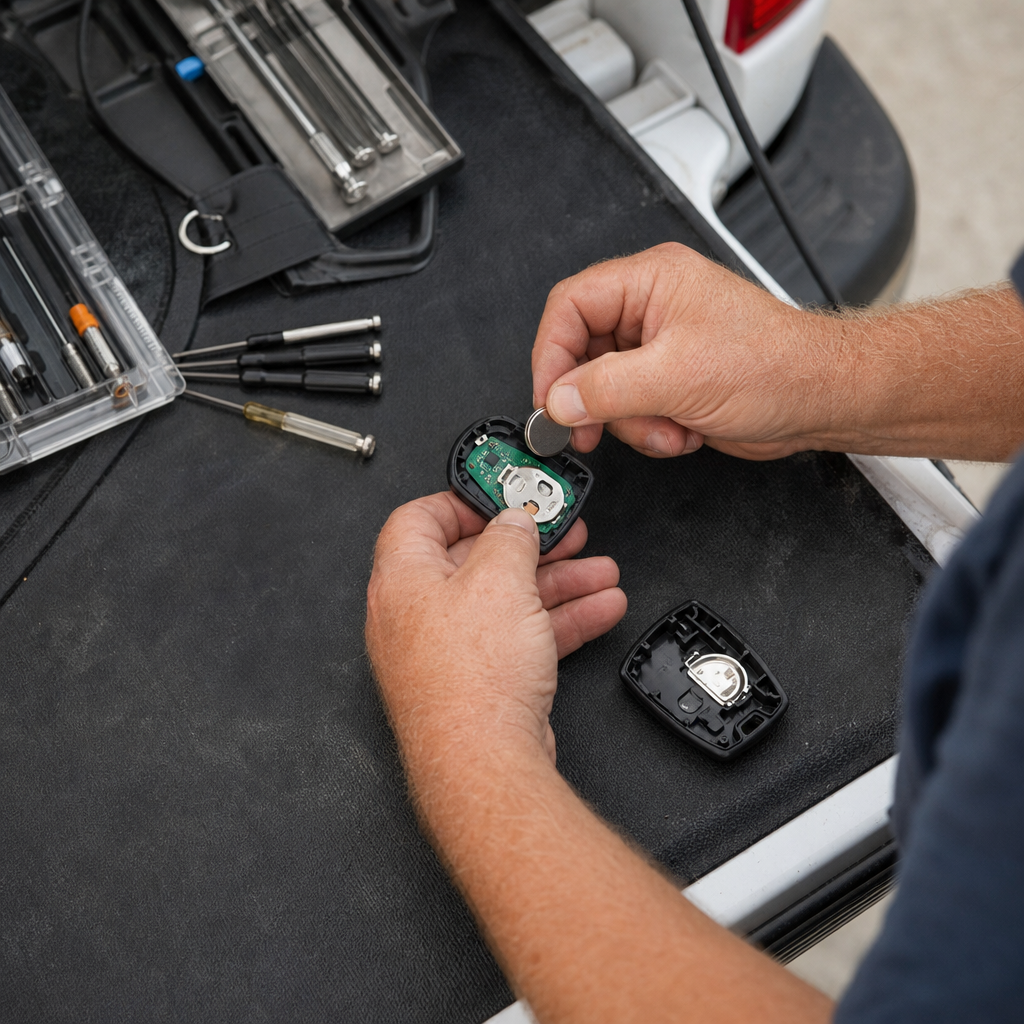
A remote battery may illuminate an indicator light but still lack sufficient power to transmit a signal to the gate receiver.
Open the remote casing and inspect the metal contacts for dirt or corrosion. Clean the contacts with a dry cloth if necessary. Install the exact battery type specified by the remote manufacturer, making sure to observe the correct polarity. If you have a second remote or a hardwired wall control, test it to determine whether the issue is isolated to the remote.
Step 2: Check for Operating-Distance Problems and Radio Interference
Need why is my gate remote not working?
We’re available now - call for a fast, free estimate.
If your remote only works at close range, signal interference or range limitations may be affecting performance. Check the following:
- Inspect the receiver antenna: Inspect the antenna for visible damage and consult the opener or receiver manual for recommended antenna positioning.
- Radio-frequency interference: Radio-frequency interference can affect remote-controlled access systems. Check for nearby electrical equipment or wireless devices that may be identified as potential sources of interference in your equipment manual.
- Operating distance and physical barriers: Operating distance and physical surroundings may reduce range; verify recommended operating conditions in the manufacturer manual.
Step 3: Reprogram and Re-Sync the Remote
Reprogramming procedures vary by model. As advised by Ironworks Gate Co., always refer to your opener or receiver manual for specific instructions. General reprogramming steps include:
- Locate the Learn or Program button on the opener or receiver board.
- Briefly press and release the Learn or Program button. Warning: Do not hold the Learn button down, as doing so incorrectly may erase all existing remotes and security codes from memory.
- Press the button on your remote within the manufacturer’s stated time window to complete signal registration and allow the receiver to learn the security code.
- Wait for the unit to exit programming mode, then test the remote.
Note: If the remote fails to pair, ensure that the remote is compatible with the opener and that the programming procedure was completed before the timeout window expired.[3]
Step 4: Check Smart-Opener Connectivity
If you are using a smart gate opener system, connectivity issues can disrupt operation:[4]
- Verify Wi-Fi connectivity: Ensure your local Wi-Fi network is operating properly and that the opener or smart hub is within range of the network signal.
- Check internet status: Check whether the smart opener remains connected to the internet through its app or status light. If disconnected, reconnect the opener according to the manufacturer’s instructions.
Frequently Asked Questions
Why does my gate remote work from close range but not from further away?
This is commonly caused by a weak battery, operating-distance limitations, or radio-frequency interference. Install the exact battery type specified by the manufacturer and inspect the antenna according to the receiver manual.[2]
What should I do if my gate remote will not pair?
Verify that the remote is compatible with your opener. Briefly press the Learn or Program button, ensure you press the remote button within the required time window, and follow the specific programming steps in your equipment manual.
Why does my gate remote click at the box but the gate stays closed?
A click may indicate a response from part of the control system, but further diagnosis is needed to determine why the operator is not moving the gate.
When should I hire a professional technician?
Contact a professional technician, such as the team at Ironworks Gate Co., if troubleshooting requires working near high-voltage wiring, replacing damaged control circuit boards, or repairing mechanical drive components.
Need why is my gate remote not working?
We’re available now - call for a fast, free estimate.
Sources
- Potential Spectrum Interference Associated with Military Land Mobile Radios – gao.gov (2005)
- Garage door opener cannot be programmed or the range … – static.nhtsa.gov (2013)
- Smart lock and garage door opener adoption shows signs … – parksassociates.com (2026)
- 7-9% of US internet households own a smart garage door … – parksassociates.com
Related reading: Swing Gate Operator Repair | Call Now-10% Off | On-Site in 60 Minutes | Free Estimate
Related reading: Commercial Sliding Gate Repair – 10% Off & Free Estimate – On-Site in 60 Minutes
Related reading: Same Day Gate Repair Bell Gardens | Call Now-10% Off | On-Site in 60 Minutes | Free Estimate
Frequently Asked Questions
What should I do if holding the learn button erased all programmed gate remotes?
If holding down the learn button cleared your receiver memory, you must sequentially resynchronize every existing transmitter and wireless keypad to the unit. If the receiver continues to reject new security codes, Ironworks Gate Co. provides same-day access control diagnostics to restore your system.
How can I tell if the gate receiver board has failed rather than the remote?
Test your gate using a hardwired interior push button, key switch, or secondary transmitter to isolate the fault. If wired controls open the gate normally but no wireless remotes register, the receiver board or external antenna has likely failed and needs professional technical service.
What household devices cause radio-frequency interference with gate remotes?
Unshielded LED light fixtures, wireless security cameras, and nearby Wi-Fi boosters operating on adjacent frequencies can severely degrade remote transmission range. If turning off suspected electronics does not solve the range issue, Ironworks Gate Co. can perform an on-site signal assessment to identify frequency conflicts.
About the author
 |
Sarah Miller Sarah Miller is a specialized content creator with a focus on property security and access control systems. Drawing from her five years of experience writing for the home services sector, she provides homeowners and property managers with clear, actionable insights on gate maintenance, repair processes, and transparent pricing. Sarah holds a Bachelor of Arts in Communications from California State University, Fullerton. |
Gate not opening, off track, or opener dead?
We’re available now - call for a fast, free estimate.
Call Now - Free Estimate